
How It Opens
Most people use one of these entry points:- Select text and press
Control + Space - Select editable text and click the assistant icon near the selection
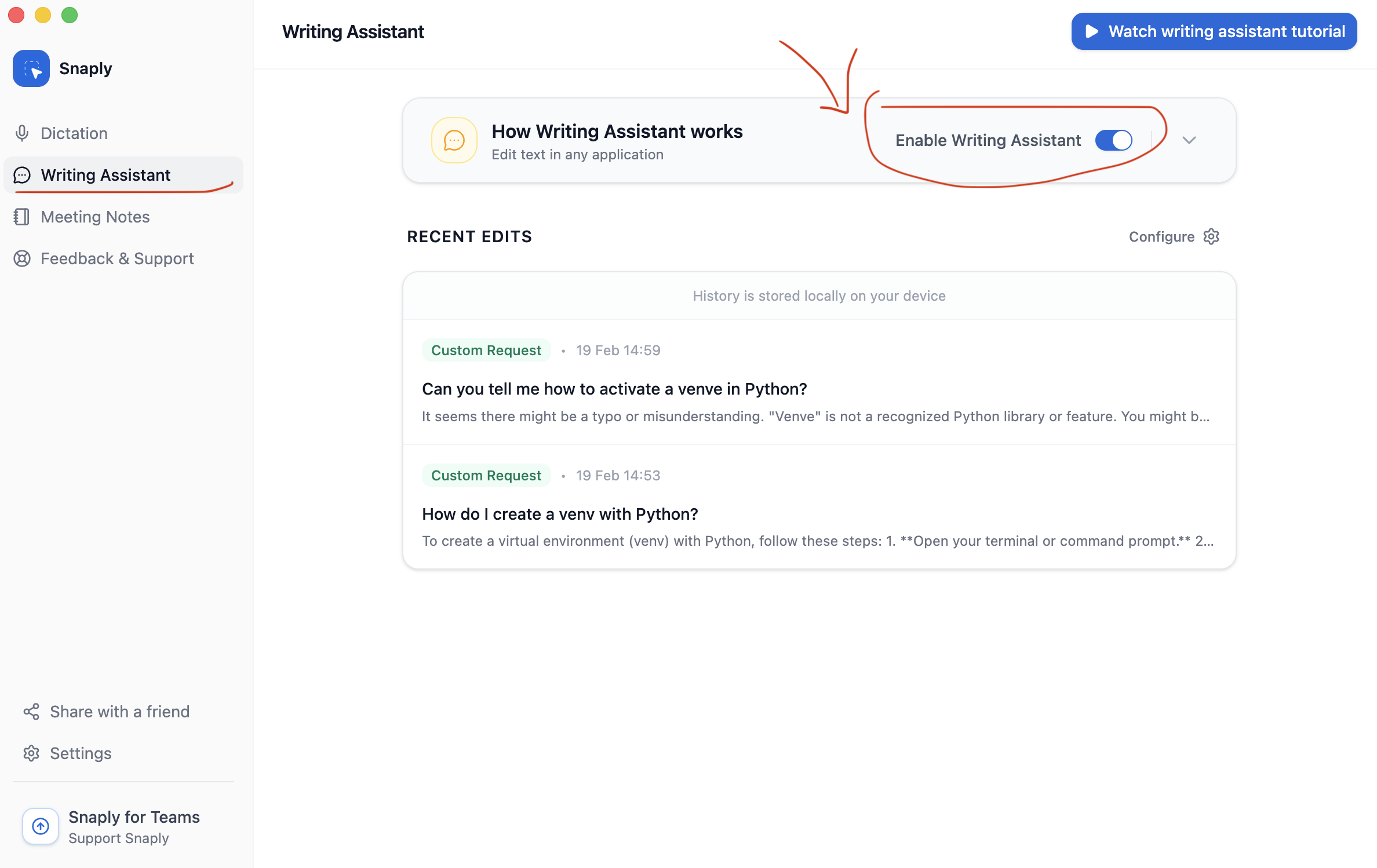
- Open the Writing Assistant page in Snaply and review recent edits
What It Is Great At
- Fix grammar without changing the meaning
- Polish tone, clarity, and formatting
- Translate into a target language
- Run a saved custom mode for repeated tasks
- Switch into chat for follow-up instructions
Instant Fix Or Follow-Up Chat
You can enable Show on non-editable text if you want the assistant to appear even when the selected text cannot be replaced in place.
History
Snaply keeps a local history of recent transformations inside the app. That means a good rewrite does not disappear the second you move on. From Writing Assistant -> Recent Edits, you can:- Reopen a previous conversation
- Copy or reapply a result
- Rerun a transformation with a different mode
- Delete old items
- Select multiple recent edits and delete them together
Key Features
Shortcuts
Configure the global shortcut and learn mode-level shortcuts.
Modes
Use built-in modes or create reusable ones for your own workflows.
Models
Manage the model behind your edits.
Cloud Models
Use hosted providers or connect an OpenAI-compatible endpoint.