> ## Documentation Index
> Fetch the complete documentation index at: https://docs.snaply.ai/llms.txt
> Use this file to discover all available pages before exploring further.
# Overview
> See how Snaply's AI Writing Assistant rewrites, fixes grammar, translates, and polishes text in any Mac app with fast local AI.
**Select text. Press the shortcut. Get a better version back.**
The [Writing Assistant](/writing-assistant/overview) is Snaply's text layer: select something, open the assistant, choose a [mode](/writing-assistant/modes), and either replace the text instantly or keep working in chat.
It is built for fast edits inside your existing workflow, not as a separate writing destination you have to live in.
Snaply is designed for fast, local-first editing. Use the built-in model for private rewrites, or switch to [cloud models](/writing-assistant/cloud-models) when you want OpenAI, Anthropic, Google Gemini, OpenRouter, xAI, Groq, Mistral, or an OpenAI-compatible endpoint.
## How It Opens
Most people use one of these entry points:
* Select text and press `Control + Space`
* Select editable text and click the assistant icon near the selection
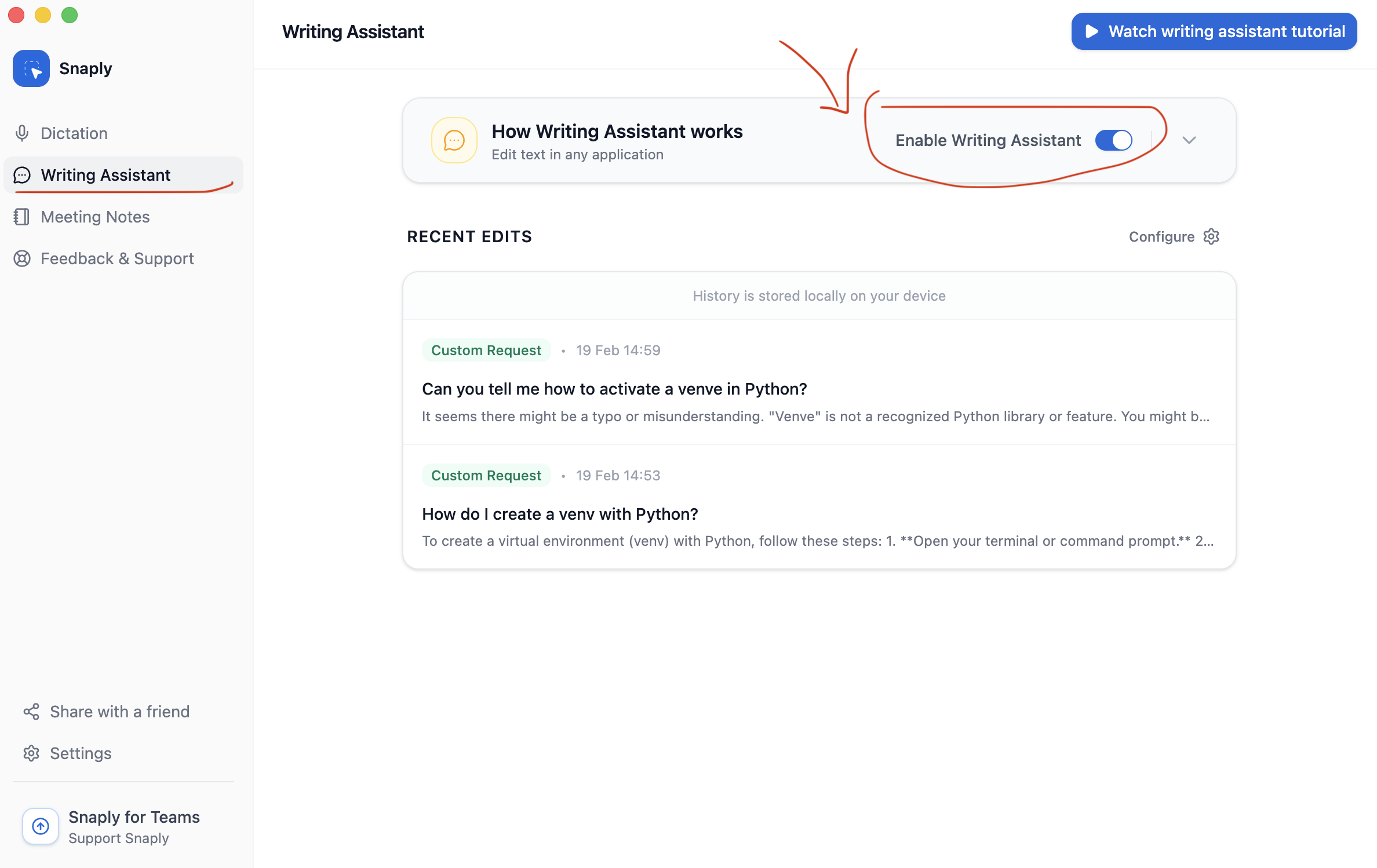
* Open the Writing Assistant page in Snaply and review recent edits
If nothing appears, open **Settings -> Writing Assistant** and make sure **Show Writing Assistant** is enabled.
## What It Is Great At
* Fix grammar without changing the meaning
* Polish tone, clarity, and formatting
* Translate into a target language
* Run a saved custom mode for repeated tasks
* Switch into chat for follow-up instructions
## Instant Fix Or Follow-Up Chat
| Workflow | Best for |
| --------------- | ------------------------------------------------------------ |
| Instant replace | grammar fixes, quick rewrites, predictable formatting |
| Chat | follow-up instructions, refinement, more open-ended requests |
You can enable **Show on non-editable text** if you want the assistant to appear even when the selected text cannot be replaced in place.
## History
Snaply keeps a local history of recent transformations inside the app.
That means a good rewrite does not disappear the second you move on.
From **Writing Assistant -> Recent Edits**, you can:
* Reopen a previous conversation
* Copy or reapply a result
* Rerun a transformation with a different mode
* Delete old items
* Select multiple recent edits and delete them together
## Key Features
Configure the global shortcut and learn mode-level shortcuts.
Use built-in modes or create reusable ones for your own workflows.
Manage the model behind your edits.
Use hosted providers or connect an OpenAI-compatible endpoint.
## Privacy
With the built-in local model, selected text stays on your Mac.
That local-first setup is the easiest way to keep Writing Assistant fast, private, and available inside your normal Mac workflow.
## Related Pages
* [Configure shortcuts](/writing-assistant/shortcuts)
* [Create and reorder modes](/writing-assistant/modes)
* [Manage AI models](/writing-assistant/models)
* [Set up cloud models](/writing-assistant/cloud-models)
* [See the Snaply website](https://snaply.ai)
 ## What It Is Great At
* Fix grammar without changing the meaning
* Polish tone, clarity, and formatting
* Translate into a target language
* Run a saved custom mode for repeated tasks
* Switch into chat for follow-up instructions
## Instant Fix Or Follow-Up Chat
| Workflow | Best for |
| --------------- | ------------------------------------------------------------ |
| Instant replace | grammar fixes, quick rewrites, predictable formatting |
| Chat | follow-up instructions, refinement, more open-ended requests |
## What It Is Great At
* Fix grammar without changing the meaning
* Polish tone, clarity, and formatting
* Translate into a target language
* Run a saved custom mode for repeated tasks
* Switch into chat for follow-up instructions
## Instant Fix Or Follow-Up Chat
| Workflow | Best for |
| --------------- | ------------------------------------------------------------ |
| Instant replace | grammar fixes, quick rewrites, predictable formatting |
| Chat | follow-up instructions, refinement, more open-ended requests |